
Live start counter
Start a counter when work begins and it runs in the background until the job is done. No more guessing hours at the end of the week or losing billable effort that never got written down.
Log the hours your team spends on tickets and tasks, manually after the fact or with a live counter that runs while they work. Turn effort into reporting, billing and capacity decisions without a second tool.
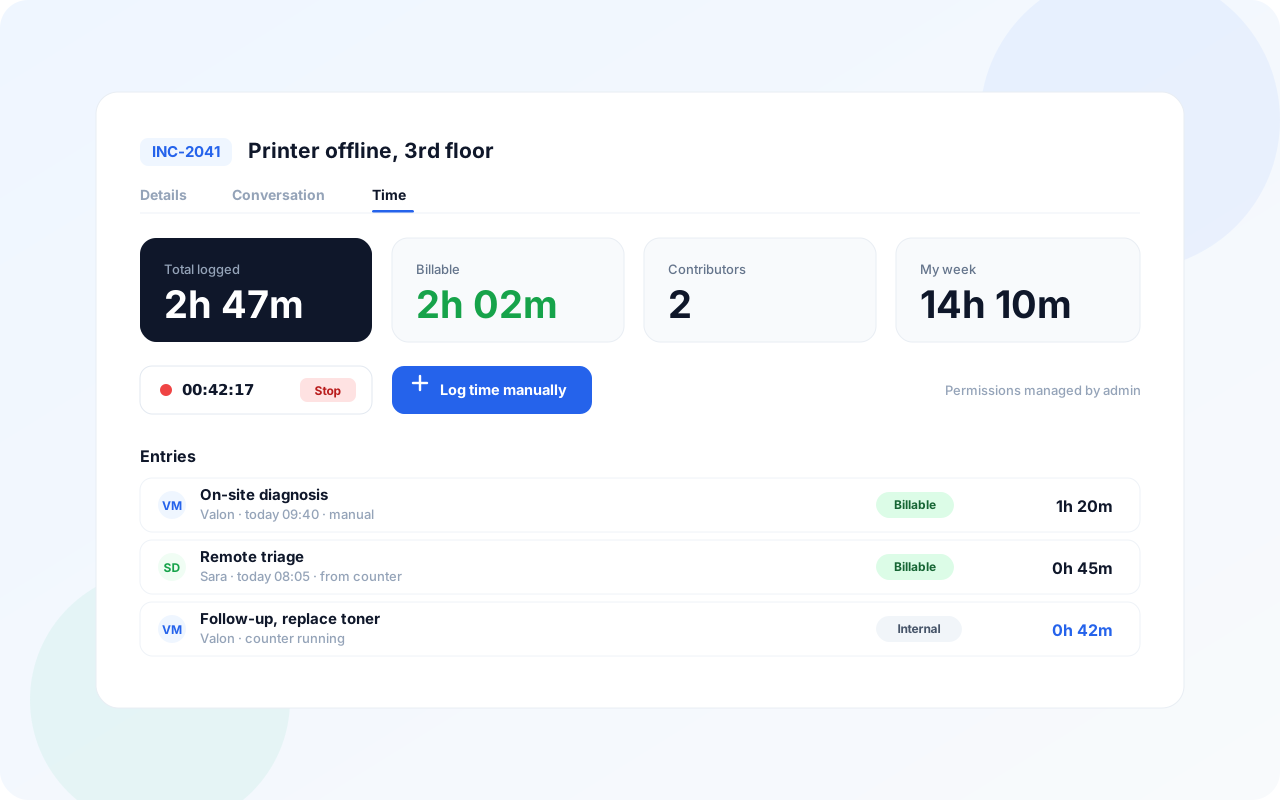
Start a counter when work begins and it runs in the background until the job is done. No more guessing hours at the end of the week or losing billable effort that never got written down.
Prefer to log time once a task is closed? Add it manually in seconds, with full control over the duration and the record it belongs to.
Time tracking ships with its own permissions, off by default, so administrators decide exactly who can log and review hours.
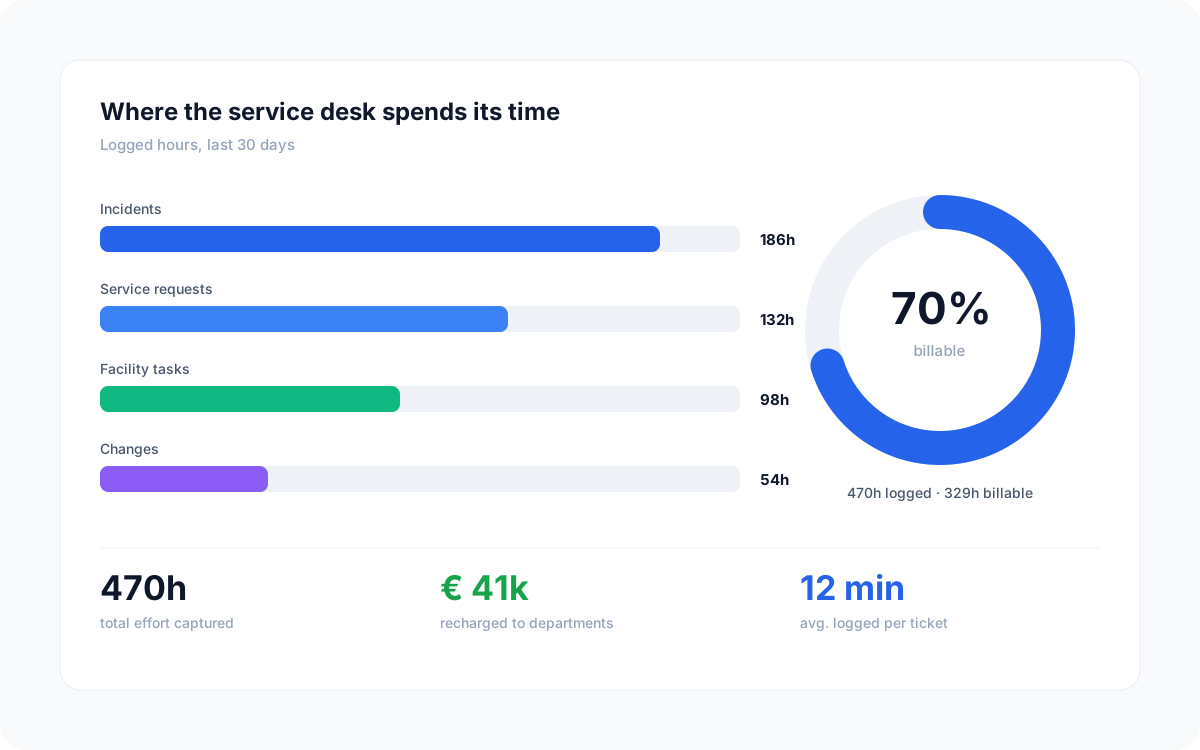
Time is logged on the ticket or task itself, so there is no separate timesheet to chase.
Logged hours roll up per assignee, workgroup, classification or organisation for clean reporting.
Whether you run an IT service desk or a facility helpdesk, the same time tracking applies to every ticket and task.
Yes. Time tracking shipped in the 2026 Q2 release and is live. The related permissions are off by default, so an administrator activates them before users can log hours.
Both. Use the live start counter while you work, or add hours manually after a task is finished. The choice is per user and per task.
Time tracking has dedicated permissions that administrators switch on per group, so you decide who can record hours and who can review them.
Book a discovery call and we will show time tracking on your own workflows.
Agendar discovery call