
Your own days, in seconds
Office, remote or away per day, per building, in one week grid. It is self-service: no manager approval and no admin in the middle.
Everyone sets their own office days, sees when their teams are in, and books a desk for that day in the same grid. No shared spreadsheet, no weekly reminder in the group chat.
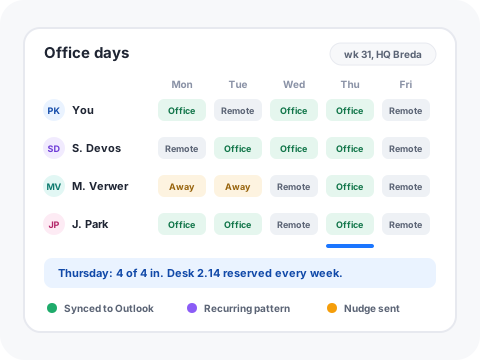
Office, remote or away per day, per building, in one week grid. It is self-service: no manager approval and no admin in the middle.
Save the pattern you actually work, for example every Monday and Thursday in the office at desk 2.14. Change a single day, all following days or the whole pattern, exactly like a recurring booking.
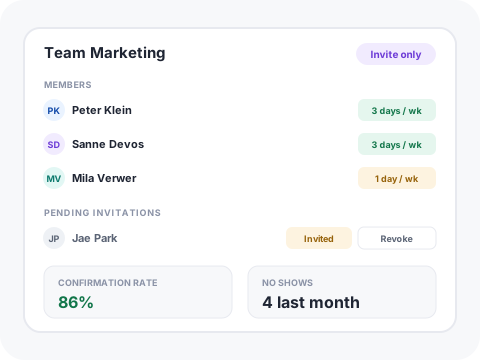
Teams are their own thing, so people can plan together without touching your access model. Create one, invite colleagues, and they join when they accept.
Need a colleague in for a session? Nudge them for that specific day from the grid instead of sending yet another message.
Office days can be written back to Microsoft 365 and Google calendars, and days already in a calendar show where they came from. If a calendar has not synced recently you get told, instead of silently seeing stale days.
What a person sets by hand takes precedence over anything derived from a calendar, and a real desk booking beats a recurring reservation. No fights between systems.
Compare declared office days against who actually turned up, per person and per team, so attendance policy is a conversation about facts.
The same declared days drive occupancy reporting, desk supply and catering volumes, so the plan is used rather than filed.
Setting your own office days is self-service and open to every authenticated user. Pricing is per agent, so end-users planning their week do not consume agent seats.
People set their own days. Managers get the visibility, the attendance rates and the nudge, which is what makes hybrid policy stick without turning it into a rota.
The real booking wins. A desk booking is a stronger signal than an intent, so the day flips to office and the grid shows the desk.
Yes, both. Sync is a company setting, uses the same calendar consent as the rest of the Microsoft integration, and each synced day shows which provider it came from.
Book a discovery call and we will set up office days for one of your own teams.
Schedule discovery call