
Overviews and filters
Quickly find the relevant information through user-friendly overviews with advanced filtering capabilities.
With intuitive meeting room signs, users can easily find their meeting room, check in effortlessly, and prevent no-shows - always linked to your Microsoft or Google spaces.
Madrid
Thursday 19 Jun, 13:52
Free until 14:00
Design sync
14:00 - 15:00 · Host Peter Klein
Thu 19 Jun
TodayWhat's the issue?
A day at the door
One screen, five moments that decide whether your meeting rooms are actually used.
Nobody checked in
The countdown on the panel runs out and the room goes back on the market.
Book it where you stand
A free room, one tap, checked against the real room calendar first.
Report a fault
A Teams kit that will not start becomes a ticket for whoever fixes AV.
Your whole estate
Set it once and every panel in every building follows, without touching a device.
Then the numbers
Occupancy and no-shows, built from the check-ins made at the door.
No-shows
A booked room with nobody in it is the most expensive room you have. The panel asks for a check-in, and when it does not come it hands the rest of the slot back to your colleagues.
Madrid
Client presentation, 14:00 - 15:00
Your settings
Auto release (minutes)
the countdown the panel shows
No-show grace period (min)
when it counts as a no-show in reports
1Waiting at the door
00:00
Nobody checked in, so the room is free again
2The rest of the day
Madrid, today
Flagged in your reports, the booking itself stays in the history
Releasing shortens the booking to now on the room's own calendar. It is not cancelled, and the organizer keeps the record.
A blockade, maintenance or cleaning reservation is never released: check-in is switched off per reservation type.
At the door
Somebody is standing in the corridor with a colleague and needs twenty minutes. The panel books the room there and then, and it checks the room's own calendar before it says yes.
A booking made at the door starts now and holds nothing but a title: no attendees, no purpose, no catering. Those belong in the booking form, not on a wall panel.
Madrid
4 seats, second floor
1Book it now
Madrid
FreeHow long?
Checking the room calendar in Microsoft 365
Ad-hoc meeting
Booked15:20 - 15:50
On the room's calendar, visible to everyone else immediately
2And when it is not free
60 min from 16:00
RefusedThe calendar already holds a booking at 16:00, so the panel will not take it
Something is broken
The person who notices a fault is standing right in front of it, and they will not open a portal for it. So the report starts where the problem is, and lands in the service desk as a real ticket within seconds, routed by your own rules to whoever fixes AV.
The panel sends a subject, a short description and a priority, and nothing else. There is no photo and no reporter name: an unattended screen in a corridor should not be able to submit either. Who picks it up and how fast is your own workflow, not something the panel decides.
Madrid
Second floor
1At the door
What is wrong?
Sent
2In the service desk
Open tickets
Room signage - Teams meeting set
Your whole estate
A panel per meeting room is only a good idea if it does not become forty things to maintain. So the estate is one list, the settings are set once, and a broken panel is a serial number rather than an afternoon.
Mount it, pair it once at the panel, and everything after that happens from your desk. Gfacility reports no panel health: the list shows what you configured, not whether a screen is switched on.
Room signage devices
Three buildings
1Change it once
Free colour
tenant setting, every panel reads it
Pushed to every panel, no device touched
| Panel | Building | Room | |
|---|---|---|---|
| A7F3-19C4-8B02-5E61 | Breda | Madrid | Active |
| B12A-4E77-90CD-3F08 | Breda | Lisbon | Active |
| E71B-2D40-6C9A-1F53 | Eindhoven | Oslo | Active |
| D5E8-0C36-41FA-9B72 | Antwerp | Dublin | Active |
2When one breaks
Serial number
The old panel is unpaired automatically, the new one comes up on the same room
Insights
No-shows, peak hours and utilisation per room, out of the box.
See what workplace analytics shows→Room utilisation
Last 30 days, Breda office
Room utilisation
0%
target 70%
No-shows
0%
-2 pts vs last month
Average lead time
2.1days
booked in advance
Peak hours
Top rooms
Share of bookable hours used
Gfacility brings your workplace together. Our all-in-one platform connects room bookings, attendees, visitors, and catering in one smooth flow - so meetings run effortlessly and everyone stays focused.
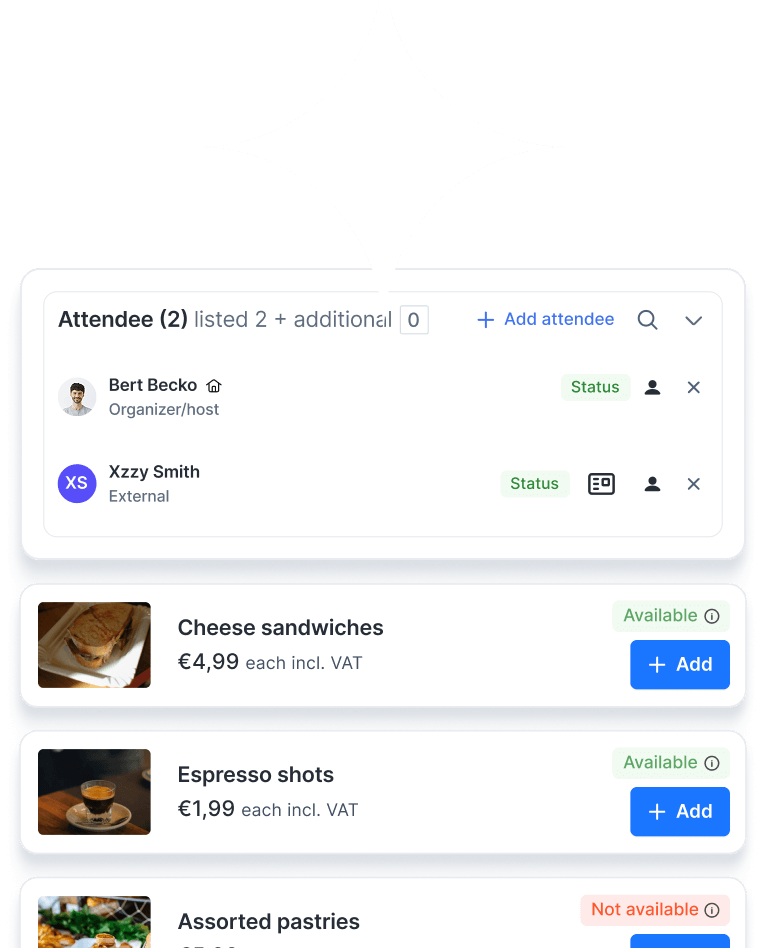
Quickly find the relevant information through user-friendly overviews with advanced filtering capabilities.
Receive timely notifications for important updates, tasks and reservations.
Automate (approval) processes and streamline tasks with customised tailored workflows.
Attractive catalogue with detailed room information and the possibility to set who may book which rooms and when booking.
Reserve a room instantly from the signage panel, no need to open your calendar.
Track meeting room occupancy, booking patterns, and no-show rates to optimise space utilisation.
LED indicators or on-screen colour coding show instantly if a room is free, in use, or about to start.
Require meeting check-in to prevent ghost bookings and automatically free up no-show reservations.
Quickly book an available room on the spot for impromptu meetings.
Syncs directly with Google Rooms, ensuring up-to-date availability and preventing double bookings - every meeting, perfectly scheduled.

Syncs directly with Microsoft Rooms, ensuring up-to-date availability and preventing double bookings - every meeting, perfectly scheduled.
Apply your company logo, colours, and style to all room signage screens.
Reserved setup and breakdown time appears on the panel as blocked, so nobody walks into a room that is still being reset.
Manage room bookings and signage across multiple sites from a single dashboard.
If something in the room isn’t working - from a broken projector to missing cables - users can report it instantly from the signage screen, ensuring quick follow-up and minimal disruption.
Room signage refers to digital meeting room signs or door displays placed outside a meeting space. These electronic displays show real-time availability - free, in use, or about to start, and can also display meeting details, capacity, and equipment. Many even allow you to book the room instantly from the screen.
Our digital meeting room signs connect directly to your Microsoft 365 or Google Workspace calendar. The display updates automatically whenever a meeting is booked or released, ensuring no duplicate bookings and accurate availability at all times.
Yes. Our central dashboard lets you manage meeting room sign boards for multiple offices, ensuring consistent branding and settings across sites.
On the panel itself, check-in is a tap: somebody confirms the meeting and the room stays theirs. If you already have presence sensors in your meeting rooms, they can be connected so that the check-in happens by itself, the sensor confirms that people really are in the room, the booking is checked in without anybody pressing anything, and a room that is genuinely in use is never released. Release always follows the check-in, so a room only comes back when nobody confirmed the meeting, on the panel or through your sensors.
Nothing, those are never released. Requiring a check-in is a setting per reservation type, and it is switched off for the types nobody walks up to a panel for, such as a blockade, maintenance or cleaning. Only reservation types that require a check-in can be released automatically.
It shortens the reservation to the current time on the room's own Microsoft 365 or Google Workspace calendar, which is what makes the rest of the slot bookable again everywhere. The booking is not cancelled and not deleted: the organizer keeps it, and your reports keep it as a no-show. Note that the countdown runs on the panel itself, so a panel that is switched off releases nothing.
Its own room, and nothing else. A panel never gets a user account: it signs in as the room it hangs next to, with a token tied to that one serial number, so a swapped or deactivated device is refused. It has its own signing secret, separate from the web app, the mobile app and the visitor kiosk. Only whitelisted calendar columns leave the server, and the internal booking record behind a meeting never does. A fault report is rebuilt on the server, so an unattended screen cannot inject a field, an assignee or an attachment. Managing panels is a permission of its own, so a facility team can look after them without touching anything else.
Usually not. The panel app is a web app served from its own address, so anything with a browser can run it: the tablets already hanging beside your rooms, a wall-mounted iPad, an Android panel or a display you already own. We are happy to advise, and we work with preferred suppliers if you do want new panels, but in most rollouts the hardware is already there and only the mounting and the pairing are left.
Yes. Our electronic meeting room door signs sync in real time with Microsoft Outlook, Teams, and Google Calendar, so what you see on the display always matches your scheduling system.
Connecting room signage to Outlook Rooms is simple. We link the display to the specific room resource in Microsoft 365, so it automatically pulls booking information from room's Outlook calendar and updates in real time.
We connect the display to your Google Workspace room resource. Once linked, the meeting room digital signage updates instantly whenever a booking is made or changed in the room's Google Calendar.
Absolutely. With one tap, you can reserve an available room right at the door. You can also check in for a meeting or release a room you no longer need.
By enabling quick check-in at the display, unused bookings are automatically released, making the space instantly available for others.
The room name, its current status, today's agenda and who booked the meeting. It is not a specification sheet: seating capacity and AV equipment are not published on the door. Those belong where the room is actually chosen, in the booking form, which shows capacity, facilities, a photo and the seating layout per room, so the choice is made before anybody walks over.
Yes. If something isn’t working - like a projector or conferencing system, the issue can be reported directly from the digital meeting room sign, triggering a service request immediately.
Yes. Meeting room occupied/vacant signs use clear icons and colour indicators (like red for in use, green for available) so status is visible at a glance.
Yes. We offer fully custom meeting room signage design with your logo, brand colours, and background images.
We work with preferred suppliers for electronic meeting room signs, iPad meeting room signage, epaper displays, and other digital meeting room door signage, but Gfacility works on almost any hardware. We’re happy to advise you on the best option for your needs and budget.

Booking a meeting room shouldn’t feel like a project on its own. With Gfacility, you skip the email chains, avoid double bookings, and make sure every meeting has the right space, people, and setup - without the usual hassle.
Schedule a demo